Bouncing Pony Screensaver for the Terminal
Table of Contents
The Idea
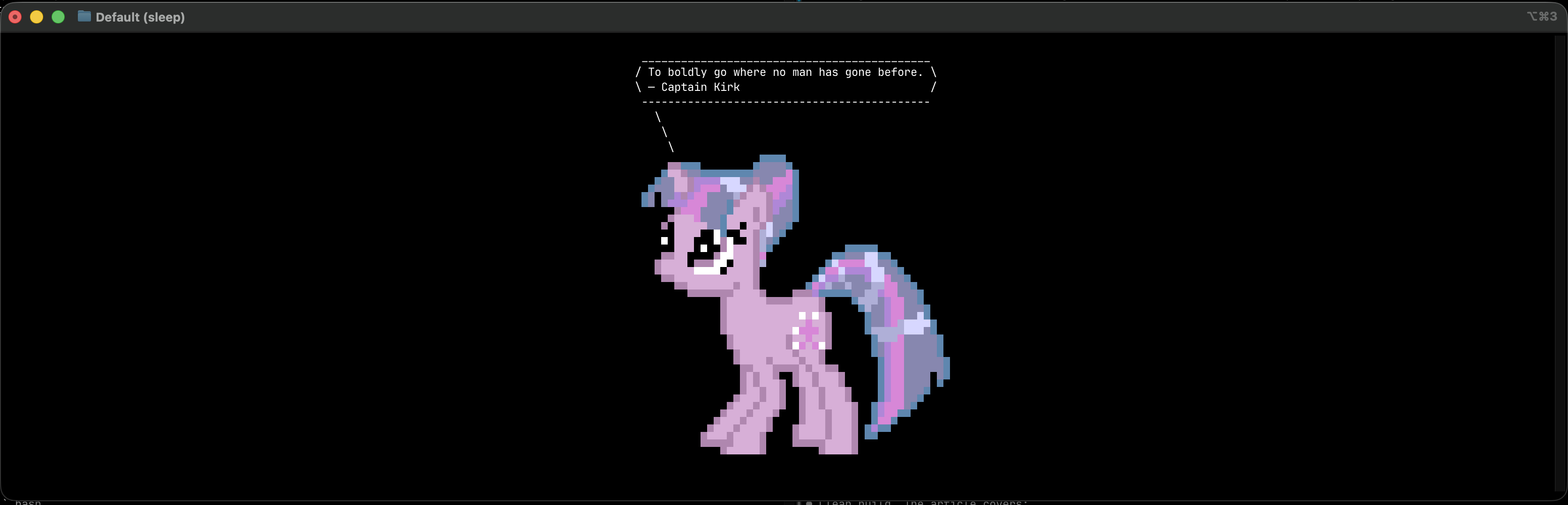
ponysay is a terminal program that prints a pony with a speech bubble — like cowsay, but with ponies. I’ve had it installed for years.
At some point the question occurred to me: could the pony bounce around the terminal window like a DVD logo screensaver? Turns out yes, and it’s not even that complicated. The result is ponybounce — a bash script that takes the pony output, measures it, and animates it across the terminal using cursor positioning.
For the speech bubble content it fetches a random Star Trek quote from a free public API. Because of course it does.
How It Works
Step 1: Generate the pony
ponysay is called once at startup with the message text. The output — ANSI colour codes and all — is stored in an array, one element per line:
PONY=$(ponysay "$MSG" 2>/dev/null)

PONY_LINES=()
while IFS= read -r line; do
    PONY_LINES+=("$line")
done <<< "$PONY"
Step 2: Measure it
The pony has a fixed size for the duration of the animation, so measure it once. ANSI escape codes need to be stripped first to get the actual visible dimensions:
PONY_CLEAN=$(printf '%s' "$PONY" | sed $'s/\033\\[[0-9;]*[mGKHFJA-Za-z]//g')
PONY_H=$(printf '%s' "$PONY_CLEAN" | wc -l | tr -d ' ')
PONY_W=$(printf '%s' "$PONY_CLEAN" | awk '{if(length>m)m=length} END{print m}')
Step 3: Animate
The main loop erases the pony at its current position, updates the coordinates, bounces off the edges, and redraws. tput cursor positioning (\033[row;colH) places each line of the pony at the right location on screen:
draw() {
    local px=$1 py=$2 i
    for (( i=0; i<PONY_H; i++ )); do
        printf '\033[%d;%dH%s' $(( py + i + 1 )) $(( px + 1 )) "${PONY_LINES[$i]}"
    done
}
Erasing works the same way — overwrite each line with blank spaces of the same width.
Bounce detection is just clamping: when x hits 0 or MAX_X, flip vx. Same for y. MAX_X and MAX_Y are calculated from the terminal size minus the pony dimensions so it never goes off-screen.
Step 4: Resize handling
SIGWINCH fires when the terminal is resized. A trap recalculates the bounds and redraws:
trap 'get_bounds; tput clear; draw $x $y' WINCH
The alternate screen
tput smcup switches to the terminal’s alternate screen buffer before the animation starts, and tput rmcup switches back on exit. This means the animation runs without disturbing whatever was in the terminal beforehand — when you quit, you’re back exactly where you were.
tput smcup   # enter alternate screen
tput civis   # hide cursor

cleanup() { tput rmcup; tput cnorm; exit; }
trap cleanup EXIT INT TERM HUP
Star Trek Quotes
The speech bubble content comes from STAPI — a free Star Trek API with over a thousand quotes, no key required. The script does a two-step fetch: first get the total number of pages, then request a random page:
total=$(curl -sf --max-time 5 \
    "https://stapi.co/api/v1/rest/quote/search?pageSize=1" \
    | python3 -c "import sys,json; print(json.load(sys.stdin)['page']['totalPages'])")

page=$(( RANDOM % total ))
# ... fetch quote at random page
If the API is unreachable, the script falls back to a hardcoded list of 20 quotes — everything from “Make it so” to “Tea. Earl Grey. Hot.” Works offline.
You can also pass your own message directly:
ponybounce "something worth saying"
Installation
Requires ponysay, which is in Homebrew:
brew install ponysay
Then place the script somewhere on your PATH — ~/bin/ works:
cp ponybounce ~/bin/
chmod +x ~/bin/ponybounce
Run it with ponybounce. Press any key or Ctrl+C to exit and return to the normal terminal.
Part of an ongoing effort to make the terminal a more interesting place to be.